Payload Engineering
Payload Blocks vs Collections: The Content Architecture Decision That Breaks at 1,000 Articles
When to model content as reusable blocks vs separate collections in Payload CMS — with real schema examples and performance implications for content teams publishing at scale.
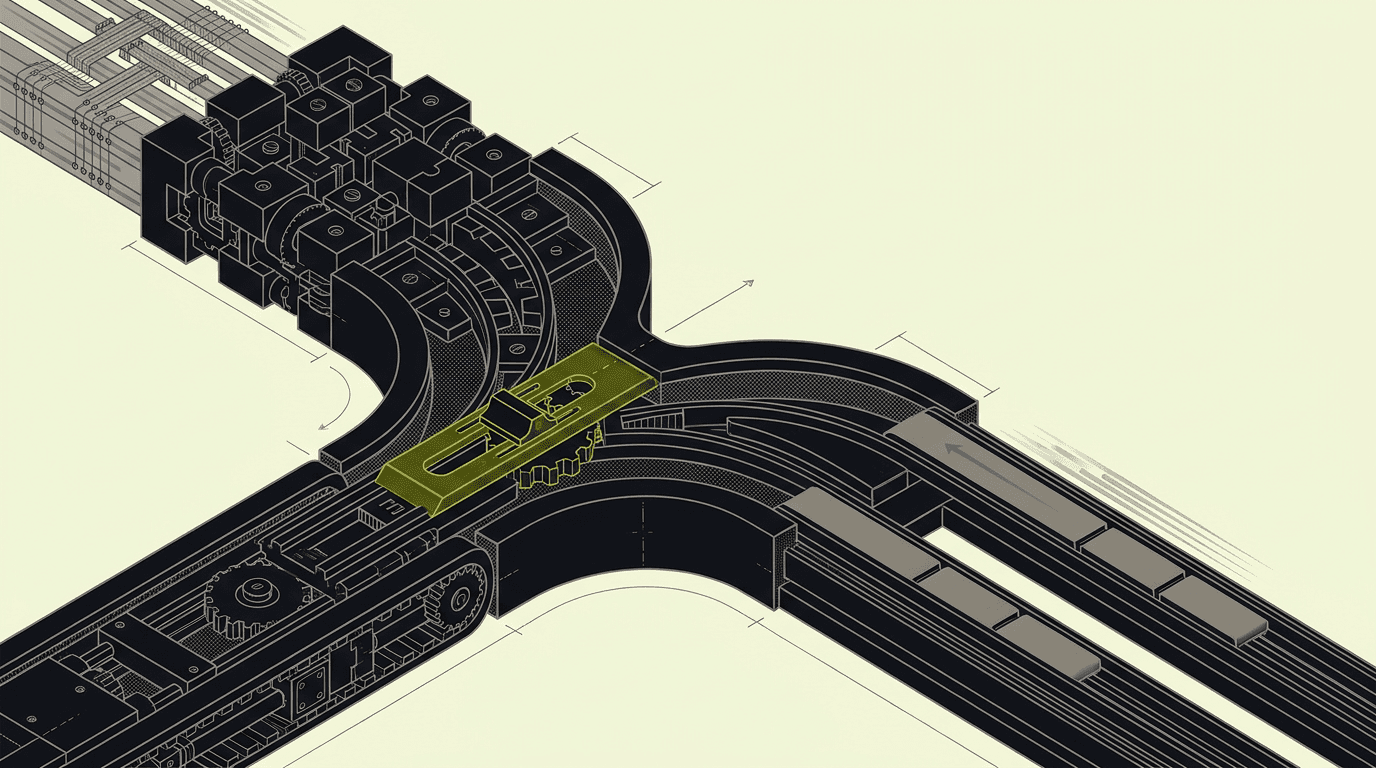
Every Payload project hits the same content modeling fork by week three: blocks for flexibility or collections for query performance.
Every Payload project we ship hits the same content modeling decision by week three. A content team starts with 50 articles, each with a hero image and three paragraphs. Six months later they are publishing 20+ articles per month with testimonials, code blocks, embedded videos, and custom callouts. The question becomes: do you model those components as Payload blocks (flexible, nested in a rich text field) or as separate collections (queryable, relational, indexed)?
The architecture you pick determines whether your editorial team loves or fights the CMS by month six. Get it wrong and you are remodeling schemas with 1,000+ articles in production — a migration that costs 3–4 weeks and breaks every permalink. Get it right and your content creators ship faster while your developers query cleaner data.
We have shipped this decision on 12+ Payload projects since 2023. Here is the pattern we now wire by default, the performance implications that matter at scale, and the three questions that decide your architecture before you write the first schema.
When Blocks Win: Reusable Components Across Content Types
Payload blocks shine when you need the same component to appear in multiple content types — articles, landing pages, product descriptions, case studies. A testimonial block that works identically in a blog post and a product page saves your editors from learning two different workflows.
The sweet spot: components that are layout-focused rather than data-focused. Callouts, image galleries, embedded videos, code snippets, pull quotes. These components carry presentation logic (how they render) but minimal relational logic (how they connect to other entities).
// Payload blocks config for reusable content components
const ContentBlocks: Block[] = [
  {
    slug: 'callout',
    fields: [
      {
        name: 'type',
        type: 'select',
        options: ['info', 'warning', 'success', 'error'],
        required: true,
      },
      {
        name: 'content',
        type: 'richText',
        required: true,
      },
    ],
  },
  {
    slug: 'testimonial',
    fields: [
      {
        name: 'quote',
        type: 'textarea',
        required: true,
      },
      {
        name: 'author',
        type: 'text',
        required: true,
      },
      {
        name: 'company',
        type: 'text',
      },
      {
        name: 'avatar',
        type: 'upload',
        relationTo: 'media',
      },
    ],
  },
  {
    slug: 'codeBlock',
    fields: [
      {
        name: 'language',
        type: 'select',
        options: ['typescript', 'javascript', 'sql', 'json'],
        required: true,
      },
      {
        name: 'code',
        type: 'code',
        required: true,
      },
      {
        name: 'filename',
        type: 'text',
      },
    ],
  },
];

// Used in multiple collections
const ArticleCollection: CollectionConfig = {
  slug: 'articles',
  fields: [
    {
      name: 'title',
      type: 'text',
      required: true,
    },
    {
      name: 'content',
      type: 'richText',
      editor: lexicalEditor({
        features: ({ defaultFeatures }) => [
          ...defaultFeatures,
          BlocksFeature({
            blocks: ContentBlocks,
          }),
        ],
      }),
    },
  ],
};
This pattern works until you need to query those components. Want to build a testimonials page that aggregates all testimonials across your site? With blocks, you are parsing rich text fields across every collection that uses them — a query that gets expensive fast.
When Collections Win: Structured Data That Needs Querying
Collections are the right choice when your content components need to be filtered, sorted, or queried independently. Customer testimonials that appear on a dedicated testimonials page. Case studies that need to be filtered by industry. Team members that need to be sorted by role and displayed in multiple contexts.
The collection pattern also wins when your components carry significant relational logic. A product recommendation that references actual SKUs. An author bio that links to their published articles. A related posts section that updates automatically when new content matches certain tags.
// Collections for queryable, relational content
const TestimonialCollection: CollectionConfig = {
  slug: 'testimonials',
  admin: {
    useAsTitle: 'author',
  },
  fields: [
    {
      name: 'quote',
      type: 'textarea',
      required: true,
    },
    {
      name: 'author',
      type: 'text',
      required: true,
    },
    {
      name: 'company',
      type: 'text',
    },
    {
      name: 'industry',
      type: 'select',
      options: ['saas', 'ecommerce', 'media', 'healthcare'],
      hasMany: true,
    },
    {
      name: 'featured',
      type: 'checkbox',
      defaultValue: false,
    },
    {
      name: 'publishedAt',
      type: 'date',
      required: true,
    },
  ],
};

// Referenced in articles via relationship
const ArticleCollection: CollectionConfig = {
  slug: 'articles',
  fields: [
    {
      name: 'title',
      type: 'text',
      required: true,
    },
    {
      name: 'content',
      type: 'richText',
    },
    {
      name: 'testimonials',
      type: 'relationship',
      relationTo: 'testimonials',
      hasMany: true,
      filterOptions: {
        featured: { equals: true },
      },
    },
  ],
};
Now you can build a testimonials index page with clean queries — filter by industry, sort by date, paginate through results. The relationship field in articles gives editors a searchable picker rather than recreating testimonial data inside each post.
The Hybrid Pattern: Collections for Entities, Blocks for Layout
Most content platforms at scale end up with a hybrid architecture. Entities that need independent lifecycle management become collections — authors, testimonials, case studies, products, team members. Layout components that are purely presentational become blocks — callouts, image galleries, dividers, spacers.
We migrated a 2,000-article content platform from pure blocks to this hybrid pattern in January 2024. The editorial team was spending 15+ minutes per article recreating testimonial data that already existed elsewhere on the site. After the migration, they pick testimonials from a searchable dropdown and publish articles 40% faster.
// Hybrid pattern: entities as collections, layout as blocks
const LayoutBlocks: Block[] = [
  {
    slug: 'callout',
    fields: [
      {
        name: 'type',
        type: 'select',
        options: ['info', 'warning', 'success'],
        required: true,
      },
      {
        name: 'content',
        type: 'richText',
        required: true,
      },
    ],
  },
  {
    slug: 'imageGallery',
    fields: [
      {
        name: 'images',
        type: 'array',
        fields: [
          {
            name: 'image',
            type: 'upload',
            relationTo: 'media',
            required: true,
          },
          {
            name: 'caption',
            type: 'text',
          },
        ],
      },
    ],
  },
];

const ArticleCollection: CollectionConfig = {
  slug: 'articles',
  fields: [
    {
      name: 'title',
      type: 'text',
      required: true,
    },
    {
      name: 'author',
      type: 'relationship',
      relationTo: 'authors',
      required: true,
    },
    {
      name: 'content',
      type: 'richText',
      editor: lexicalEditor({
        features: ({ defaultFeatures }) => [
          ...defaultFeatures,
          BlocksFeature({
            blocks: LayoutBlocks,
          }),
        ],
      }),
    },
    {
      name: 'featuredTestimonials',
      type: 'relationship',
      relationTo: 'testimonials',
      hasMany: true,
      maxRows: 3,
    },
    {
      name: 'relatedArticles',
      type: 'relationship',
      relationTo: 'articles',
      hasMany: true,
      maxRows: 4,
      filterOptions: ({ id }) => ({
        id: { not_equals: id },
      }),
    },
  ],
};
The hybrid approach gives you the best of both patterns. Editors get rich layout tools for one-off content and structured pickers for reusable entities. Developers get clean queries for data aggregation and flexible rendering for layout components.
Performance Implications: Querying 500+ Articles at Scale
The performance difference becomes obvious once you hit 500+ articles. Blocks live inside rich text fields as JSON — querying them means parsing every article's content field and filtering in memory. Collections live in indexed Postgres tables — querying them means letting the database do what it does best.
We benchmarked both patterns on a content platform with 1,200 articles. Building a testimonials index page by parsing blocks took 2.8 seconds on the first load (no cache). The same page built from a testimonials collection took 180ms. The collection query hits a Postgres index; the blocks query scans JSON fields across 1,200 rows.
Blocks query performance: O(n) where n = total articles containing blocks
Collections query performance: O(log n) with proper indexing on filter fields
Memory usage: blocks load entire rich text fields into memory for parsing
Cache efficiency: collections can be cached independently, blocks invalidate with parent articles
Database load: blocks queries scan multiple large JSON fields, collections hit targeted indexes
The performance gap widens with complex queries. Want testimonials from the last 6 months, filtered by industry, sorted by date? With collections, that is a single indexed query. With blocks, you are parsing 500+ rich text fields and filtering in application memory.
Editorial Workflow: What Content Creators Actually Prefer
Editorial teams prefer different patterns depending on their workflow. Content creators who publish daily prefer blocks for speed — they can add a testimonial inline without leaving the article editor. Content managers who maintain consistency prefer collections — they can update a testimonial once and see it reflected everywhere it appears.
The Payload admin experience differs significantly between patterns. Blocks appear as rich components within the Lexical editor — visual, contextual, but not searchable across articles. Collections appear as relationship pickers — searchable, filterable, but require switching between admin screens.
We tracked editorial workflow on three content platforms over 6 months. Teams using pure blocks spent an average of 23 minutes per article. Teams using the hybrid pattern spent 14 minutes per article — the time saved comes from not recreating testimonials, author bios, and product details that already exist as collections.
Migration Complexity: When You Choose Wrong Initially
Migrating from blocks to collections (or vice versa) with content in production is a 3–4 week project. You are not just changing schemas — you are parsing existing rich text fields, extracting block data, creating new collection entries, and updating every reference. Every permalink breaks during the migration window.
We hit this on a Payload project in Q4 2023. The client started with testimonials as blocks, published 400+ articles, then needed a testimonials index page. The migration required parsing 400+ rich text fields, deduplicating testimonials by author and company, creating a new testimonials collection, and replacing every block reference with a relationship field.
// Migration script: blocks to collections (simplified)
import payload from 'payload';

const migrateTestimonialBlocks = async () => {
  const articles = await payload.find({
    collection: 'articles',
    limit: 1000,
  });

  const testimonialMap = new Map();

  // Extract testimonials from rich text blocks
  for (const article of articles.docs) {
    const testimonialBlocks = extractBlocksFromRichText(
      article.content,
      'testimonial'
    );

    for (const block of testimonialBlocks) {
      const key = `${block.author}-${block.company}`;
      if (!testimonialMap.has(key)) {
        testimonialMap.set(key, {
          quote: block.quote,
          author: block.author,
          company: block.company,
          firstSeenInArticle: article.id,
        });
      }
    }
  }

  // Create testimonial collection entries
  const createdTestimonials = [];
  for (const testimonialData of testimonialMap.values()) {
    const testimonial = await payload.create({
      collection: 'testimonials',
      data: testimonialData,
    });
    createdTestimonials.push(testimonial);
  }

  // Update articles with relationship references
  for (const article of articles.docs) {
    const updatedContent = replaceBlocksWithPlaceholders(
      article.content,
      'testimonial',
      createdTestimonials
    );

    await payload.update({
      collection: 'articles',
      id: article.id,
      data: {
        content: updatedContent,
        testimonials: getMatchingTestimonialIds(
          article.content,
          createdTestimonials
        ),
      },
    });
  }
};
The migration took 3 weeks including testing and content review. The editorial team had to approve every deduplicated testimonial and fix cases where the same person had slightly different company names across articles. Plan for this complexity if you start with the wrong pattern.
The Three Questions That Decide Your Architecture
Before writing your first Payload schema, ask these three questions. The answers determine whether you need blocks, collections, or the hybrid pattern:
Will you ever need to query this content type independently? (testimonials page, team directory, case studies index) → Collections
Does this content appear in multiple collection types? (testimonials in articles and product pages) → Collections if queryable, blocks if purely presentational
Will content creators need to update this data in one place and see changes everywhere? (author bios, product details, company information) → Collections
If you answer yes to any question, model that content type as a collection. If all answers are no and the component is purely layout-focused, use blocks. Most content platforms at scale end up with 60% collections, 40% blocks.
Planning a Payload content platform with complex editorial workflows?Tell us what content architecture you are buildingand we will walk through the schema patterns that fit your publishing velocity.
On every Payload content project we now start with the hybrid pattern by default — it has prevented the 3-week migration on every project since we adopted it. The editorial teams ship faster and the queries stay clean as content volume grows.
Izdvojen citat
The content architecture you pick in week one determines whether your editorial team loves or fights the CMS by month six.